
AI Tattoo Generator Guide: Prompt to Artist Brief
Tools · July 16, 2026
An AI tattoo generator is most useful before the final drawing: it helps you turn a vague idea into visual directions you can compare. The reliable workflow is subject → style → placement → size/detail → variations → artist review. Start with the working generator, keep the brief specific, and treat every output as a reference rather than instructions for tattooing.
TL;DR
- •Describe one main subject before adding supporting elements.
- •Name a tattoo style instead of relying on mood words alone.
- •Include body area and approximate size because they change composition and detail.
- •Generate controlled variations by changing one decision at a time.
- •Bring the selected direction, rejected elements and placement notes to a specialist artist.
What an AI tattoo generator should do
The generator's job is to make decisions visible. It should help you compare subject, style, composition, ink direction and level of detail faster than collecting unrelated screenshots. It should not claim that a visually polished image is automatically tattooable, original enough to copy, or ready for a needle.
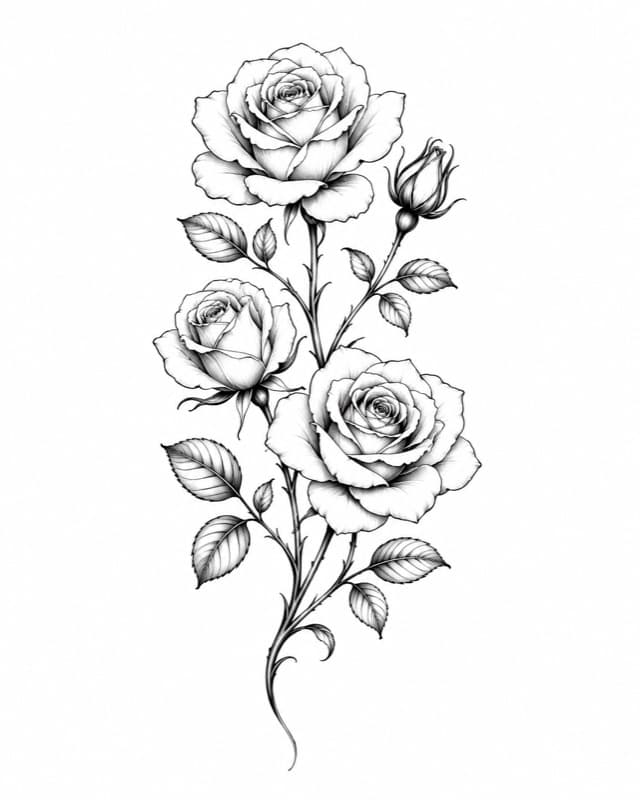
Use this five-part tattoo prompt
Write the prompt in this order: main subject + tattoo style + composition + placement/size + exclusions. This keeps the visual hierarchy clear and gives you variables you can change deliberately. Prompt-engineering research also supports using concrete subject and style terms rather than adding long strings of vague quality adjectives.
| Prompt part | Weak input | Useful constraint |
|---|---|---|
| Subject | meaningful tattoo | moth with a small crescent moon |
| Style | beautiful and cool | blackwork with engraved line shading |
| Composition | lots of detail | symmetrical vertical composition, open wings |
| Placement and size | for my arm | 12 cm outer forearm design |
| Exclusions | make it perfect | no text, no background frame, no photorealistic skin |
Example: improve one prompt without making it longer
Start: wolf tattoo. Better: blackwork wolf head, three-quarter view, pine silhouette inside the lower fur, vertical outer-forearm composition, medium line weight, no moon, white background. The second prompt is not better because it has more words; it is better because each phrase controls a visible decision.
Generate variations that teach you something
Tattoo generator
Turn one idea into a specific brief
Choose the style, ink direction and detail level before generating in the studio.
✨ Build your tattoo briefYour prompt settings continue through signup
Keep the subject fixed and change one dimension per round. First compare style. Then keep the winning style and compare composition. Finally compare detail at the intended size. If every prompt changes five things, you will not know why one result feels better and you may confuse randomness with a useful preference.
| Round | Keep fixed | Change |
|---|---|---|
| 1. Style | subject, placement, composition | fine line vs blackwork vs traditional |
| 2. Composition | subject, style, size | front view vs profile; vertical vs wrap |
| 3. Detail | subject, style, composition | simple vs balanced vs detailed |
| 4. Handoff | winning direction | artist-led anatomy, line and placement changes |
Check the output before you save it
Zoom out until the image approximates its intended physical size. Check whether the subject still reads, whether thin gaps disappear, whether symmetry is intentional, and whether text, anatomy or repeating elements contain errors. Remove attractive details that would only survive on a screen. Then compare the design on the body with the tattoo visualizer.
Turn the result into an artist brief
Save one or two preferred directions, not twenty near-duplicates. Add the body area, approximate dimensions, black-and-grey or color preference, elements that must stay, elements you dislike and examples from the artist's own portfolio. Say explicitly that the generated image is a reference and invite the artist to redraw it for anatomy, aging and their technique.
Useful next guides
Best AI Tattoo Generators
Choose a tool by workflow instead of marketing claims.
Picture to Tattoo Guide
Prepare a photo or existing image as a useful reference.
Tattoo Visualizer Guide
Check scale and placement on your own photo.
How detailed should an AI tattoo prompt be?+
Detailed enough to control subject, style, composition, placement and exclusions. Remove adjectives that do not change a visible decision.
Why does the same prompt produce different tattoos?+
Image generation includes variation. Keep the important constraints fixed and compare several outputs before changing the brief.
Can I give the generated image directly to an artist?+
Yes, as a visual reference. Tell the artist what matters and expect them to redraw it for skin, size, anatomy and technique.
Sources
- CustomTattoo AI: working AI tattoo generator · checked July 16, 2026
- Liu and Chilton: Design Guidelines for Prompt Engineering Text-to-Image Models · checked July 16, 2026
- Adobe Firefly: guidance for tattoo generation from text and references · checked July 16, 2026
Keep reading
Best AI Tattoo Generators: 5 Tools Compared
Compare five AI tattoo generators by input, style controls, photo support, try-on, stencil workflow and current public pricing.
Picture to Tattoo: Prepare a Photo for Your Artist
Turn a picture into a useful tattoo reference by choosing the right photo, simplifying detail, selecting a style and preparing a clean stencil draft.
Tattoo Visualizer Guide: Test Size and Placement
Use a tattoo visualizer to upload a design and body photo, then compare scale, placement, rotation and visibility before speaking with an artist.