
Tattoo Visualizer Guide: Test Size and Placement
Tools · July 16, 2026
A tattoo visualizer answers a planning question: where should this design sit, at roughly what size and angle? Upload the design, add a clear body photo, then compare placements rather than trying to make one mockup look perfectly real. The CustomTattoo AI visualizer lets you position, resize, rotate, adjust opacity and download a basic preview without signup.
TL;DR
- •Use a straight, well-lit photo of the exact body area.
- •Upload a clean tattoo design with little or no background.
- •Compare two or three sizes and placements instead of perfecting one mockup.
- •Use the preview to discuss composition, not to predict healing or final ink color.
What a tattoo visualizer can help you decide
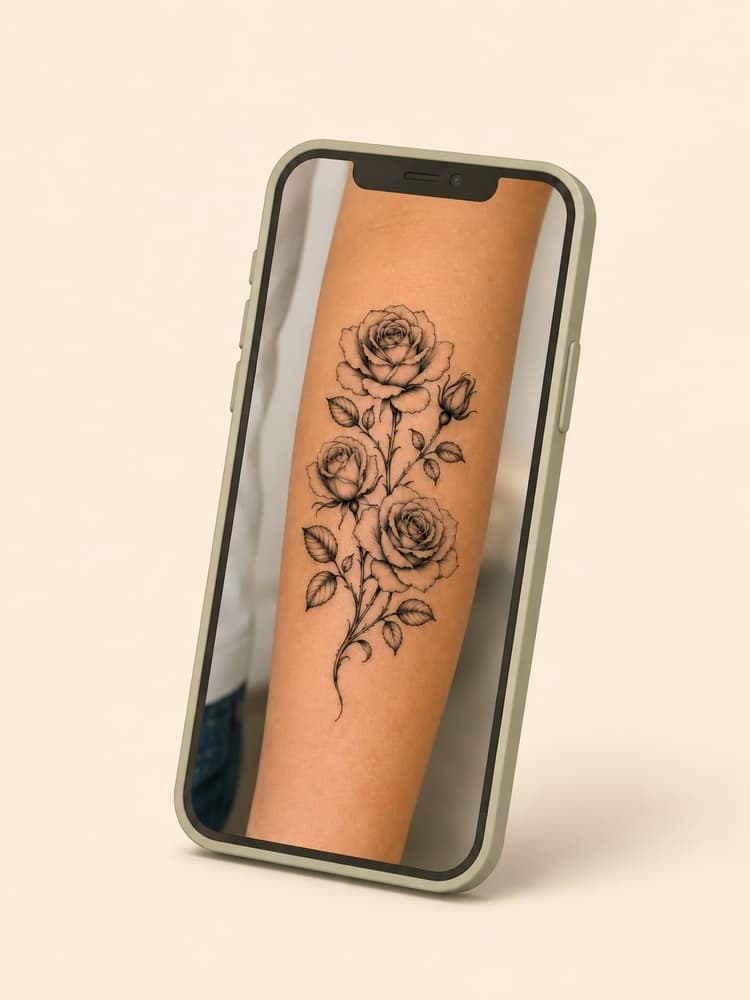
The useful decisions are practical: whether the design feels too large or too timid, whether it follows the body, whether a vertical or angled composition works better, and how visible it is in normal clothing. A preview can also reveal that a detailed design must become larger or simpler.
Prepare the body photo
Photograph the body area straight on in even light. Keep the full placement visible and avoid wide-angle distortion close to the camera. Use a relaxed, neutral pose first; a second photo in a natural bent or moving position can show how joints and muscle change the composition.
Prepare the tattoo image
Use a clean design file rather than a photograph of another person's tattoo. A white or transparent background and a centered subject make placement easier. If the design includes a large white canvas, crop it before uploading so the resize handles correspond to the artwork itself.
Compare placement in four passes
Free tattoo visualizer
Test the design on your own photo
Upload both images, move the tattoo, compare scale and download the placement reference.
✨ Preview your tattooBasic placement preview · No signup required
| Pass | Change | Question |
|---|---|---|
| 1. Position | Move only | Does the design sit on the intended body landmark? |
| 2. Scale | Resize only | Does the subject read without crowding the area? |
| 3. Angle | Rotate slightly | Does the composition follow the limb or torso? |
| 4. Visibility | Compare photo/context | How often will it show in daily life? |
Keep the design fixed while changing one decision. Download the best two or three versions and label their approximate size. That creates a useful conversation with the artist; one unlabeled mockup can make scale look more exact than it is.
What the preview cannot prove
A flat photo cannot perfectly model body curvature, muscle movement, skin texture, fresh-tattoo swelling, healed ink or aging. Opacity can make a mockup feel more natural, but it does not predict how black, grey or color will heal on your skin. The artist still needs to place a real stencil and assess the design in person.
Use the preview in an artist consultation
Bring the original clean design plus your preferred placement mockups. State the physical size you are considering and what the preview helped you decide. Ask whether the design needs a different crop, line weight or orientation for that body area. Treat the visualizer as a communication aid, not approval.
Useful next guides
Tattoo Placement Guide
Compare body areas by space, visibility and movement.
Tattoo Size Guide
Match physical size to the amount of detail.
First Tattoo Guide
Turn the preview into a complete appointment brief.
Is the CustomTattoo AI tattoo visualizer free?+
The basic upload, placement, resize, rotation, opacity and download workflow is available without signup. A separate AI-rendered realistic try-on requires an account and credits.
Does a tattoo visualizer show the exact final size?+
Not by itself. Record the approximate physical dimensions and confirm them with a real ruler or printed test before the appointment.
Can the visualizer replace stencil placement at the studio?+
No. The tattoo artist should still place and adjust the real stencil on your body before tattooing.
Sources
- CustomTattoo AI: public tattoo visualizer · checked July 16, 2026
- TryInk: documented body-photo visualizer workflow · checked July 16, 2026
- TattooTryOn: documented move, rotate, scale and blend workflow · checked July 16, 2026
Keep reading
Best Tattoo Placement Guide: Pain, Size & Visibility
Best tattoo placement guide by body area: compare pain, visibility, sizing, aging and aftercare before choosing where your tattoo should go.
Tattoo Size Guide: Match Detail to Real Scale
Choose a tattoo size by subject, detail, body area and composition, then prepare dimensions your artist can evaluate at real scale.
First Tattoo Guide: Plan Before You Book
Plan your first tattoo with a clear artist brief, real dimensions, placement references, consultation questions and a stencil approval checklist.