
Picture to Tattoo: Prepare a Photo for Your Artist
Tools · July 16, 2026
Turning a picture into a tattoo is not one operation. You may want to preserve the subject as an artist reference, reinterpret it in a tattoo style, or reduce it to stencil lines. Choose the outcome first. CustomTattoo AI currently supports the third path in its authenticated stencil studio; it does not claim to generate a new tattoo design directly from a photo.
TL;DR
- •Use a clear, high-resolution picture with one dominant subject.
- •Decide whether you want a reference, a reinterpretation or a stencil.
- •Protect the silhouette and identifying features before small texture.
- •Choose the tattoo style and physical size before deciding how much detail to keep.
- •Let the tattoo artist redraw the result for anatomy, placement and long-term readability.
First choose what picture to tattoo means
| Outcome | What changes | Who finishes it |
|---|---|---|
| Artist reference | Crop, notes and priorities | Tattoo artist redraws the design |
| Tattoo-style concept | Photo is reinterpreted in a chosen visual style | Image generator plus artist |
| Stencil draft | Image is reduced to printable line information | Stencil editor plus artist |
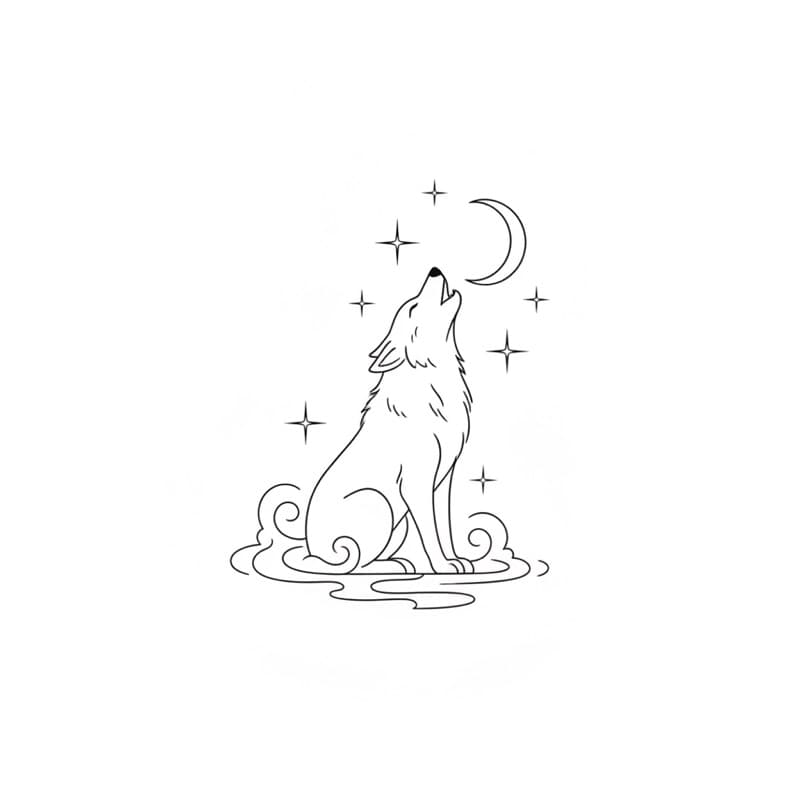
These outputs are not interchangeable. A portrait reference needs tonal information; a fine-line concept needs selective contours; a stencil needs only the lines and marks the artist intends to follow. Calling all three a photo converter creates the wrong expectation.
Choose a picture with usable information
Start with the original file rather than a social-media screenshot. Favor sharp focus, even lighting and a subject that is not hidden by the background. For pets and portraits, clear eyes, muzzle or facial planes matter more than every strand of hair. For objects, choose an angle with a recognizable silhouette.
| Picture type | Protect | Usually simplify |
|---|---|---|
| Pet | eyes, ears, muzzle, posture | individual hairs and background |
| Portrait | expression, face shape, light direction | skin texture and busy clothing |
| Flower | petal rhythm and silhouette | tiny veins and background leaves |
| Building or vehicle | recognizable proportions | reflections and distant detail |
| Handwriting | original letter shapes | paper texture, shadows and stains |
Match detail to style and real tattoo size
A large black-and-grey portrait can preserve gradients that would collapse in a small fine-line tattoo. A 5 cm pet tattoo may need the head and one defining marking rather than the full body and landscape. Set approximate centimeters or inches before editing so simplification answers a real constraint instead of a vague preference.
Stencil studio
Clean the picture into editable stencil lines
Upload a reference, tune line detail, remove specks, edit manually and print at a real size.
✨ Turn a picture into a stencilAccount required · Original image stays available for comparison
Make a stencil draft from the picture
In the CustomTattoo AI studio, open Stencil, import the picture and choose the closest starting preset. Adjust Detail, Darkness, Line weight and Smoothing while holding compare to check the original. Crop distractions, remove specks, then use brush and eraser for local corrections. Mirror only for transfer output, set the intended print size and test on plain paper before transfer paper.
What the software cannot decide
Software cannot decide how the design should flow around a forearm, where skin movement will distort a face, how an artist's needles and technique affect line spacing, or whether you have the right to reproduce the source image. Use photos you own or have permission to adapt, avoid copying another artist's tattoo exactly, and ask the chosen artist to make the final design their own.
Bring a smaller, clearer handoff
Send the original photo, one selected concept or stencil draft, intended placement and size, and a short note naming what must remain recognizable. Include what can change. This gives the artist more useful freedom than a folder of twenty unrelated AI variations.
Useful next guides
How to Make a Tattoo Stencil
Follow the complete import, cleanup, mirror and print workflow.
Tattoo Visualizer Guide
Place the chosen design on your own body photo.
Realism Tattoos
Understand when a photo needs more size and specialist shading.
Can CustomTattoo AI generate a new tattoo design directly from my photo?+
Not in the current public generator. The authenticated stencil studio can import an image and convert it into editable stencil lines.
What photo works best for a tattoo reference?+
Use the highest-resolution original with one clear subject, sharp identifying features and limited background clutter.
Is a generated stencil ready to tattoo?+
It is a planning and print draft. A professional tattoo artist should still adapt and approve the final stencil for the body and their technique.
Sources
- Adobe Firefly: reference-image tattoo generation · checked July 16, 2026
- Tattooing 101: stencil paper and mirror workflow · checked July 16, 2026
- BLICK: tattoo stencil and transfer equipment overview · checked July 16, 2026
Keep reading
How to Make a Tattoo Stencil From an Image
Make a tattoo stencil from an image: import, simplify edges, remove specks, edit lines, mirror once, set real print size and test the layout.
Tattoo Visualizer Guide: Test Size and Placement
Use a tattoo visualizer to upload a design and body photo, then compare scale, placement, rotation and visibility before speaking with an artist.
Best AI Tattoo Generators: 5 Tools Compared
Compare five AI tattoo generators by input, style controls, photo support, try-on, stencil workflow and current public pricing.