
Comparison
TattooAI.design Alternative: Features and Prices Compared
TattooAI.design (branded Tattoo AI Design) is a credit-based AI tattoo generator with an AI try-on, an AI tattoo video generator, a choice of image models and 15 interface languages. We found no stencil tool and no lettering tool on it. CustomTattoo AI is English-only and has no video, but it adds exact-spelling name tattoos and a stencil studio that prints at a set size in centimeters. TattooAI.design gives more generations per dollar and commercial rights on paid plans. Pick by the job you need done.
Written by CustomTattoo AI, the company behind one of the two tools compared. Facts come from each product's public pages, read on November 6, 2026; we did not run paid tests on TattooAI.design. Every claim links to its source.
What is TattooAI.design?
TattooAI.design is a web app for generating tattoo designs with AI. Its menu lists four tools: an AI Tattoo Generator, an AI Tattoo Try On, an AI Tattoo Design Generator and an AI Tattoo Video Generator. It also lists the models it runs: Nano Banana Pro, Nano Banana 2 and Seedream 4.5 for images, Veo 3.1 for video (home page). The site switches between 15 languages, and its sitemap listed 1,710 URLs on November 6, 2026.
Its pricing FAQ says it is an independent product, not affiliated with any model provider, and that it partners with companies such as Bytedance, Google and Kling AI to bring their models to the platform (pricing page). On Product Hunt it launched in 2024 and shows a 5.0 rating from 3 reviews, one of them written by its maker. We found no independent reviews.
TattooAI.design vs CustomTattoo AI: side by side
| Checked Nov 6, 2026 | TattooAI.design | CustomTattoo AI |
|---|---|---|
| Design generator | Yes, two: AI Tattoo Generator and Design Generator, with optional reference image (webp, jpg, png) | Yes: AI tattoo generator |
| Try-on on your photo | Yes: tattoo image + body photo + prompt templates (try-on) | Yes: upload a design and place it on your skin photo (visualizer) |
| Video | Yes, AI Tattoo Video Generator | No |
| Choice of image model | Yes, 3 image models listed (home) | No, one model |
| Name / lettering tool | None found in the menu, the tool pages or the sitemap | Yes: Name Tattoo Generator, 31 font styles |
| Stencil tool | None found; one blog guide on using Seedream 5.0 for a stencil | Yes: stencil maker (1 free stencil before sign-up) and Stencil studio |
| Print a stencil at a set size | None found | Yes: size in cm, US Letter or A4, several sheets with cut marks, 5 cm calibration bar (details) |
| Interface languages | 15 (language switcher) | English |
In short: both tools generate designs and preview them on skin. TattooAI.design goes wider (video, model choice, languages). CustomTattoo AI goes further toward the appointment: exact lettering and a stencil you can print at the right size.
Is TattooAI.design free?
Partly. Its pricing page gives new users 60 credits and adds 20 credits for each daily check-in. The free tier includes normal generation and try-on, a shared queue and a 15-day history. It marks four things as not included: premium AI features, non-watermarked images, private generations and commercial rights. The Generate buttons on the generator and the try-on showed a cost of 50 credits as displayed on November 6, 2026 (the video generator showed 300). The cost may vary by model or resolution.
| Free tier | TattooAI.design | CustomTattoo AI |
|---|---|---|
| Free credits | 60 at sign-up, +20 per daily check-in | 3 at sign-up (pricing) |
| Cost of one design | 50 credits displayed | 1 credit |
| Free designs at sign-up | 1 at the displayed cost (our arithmetic) | 3 |
| Watermark on free output | Yes (non-watermarked is paid only) | No watermark added |
| Default visibility | “Public” switch on by default | Private library |
| History | 15 days | Kept until you delete it |
Over a week, the daily check-ins add up: 60 + 7 × 20 = 200 credits, about 4 designs at 50 credits each (our arithmetic on the displayed figures). Our own free option is smaller: 3 credits, plus 1 free AI stencil on the stencil maker before you create an account. Our retention rule is in the privacy policy.
How much does TattooAI.design cost compared with CustomTattoo AI?
| Paid plans | TattooAI.design | CustomTattoo AI |
|---|---|---|
| First pack | Basic: $9.99 one-time, 4,000 credits | Starter: €4.99 one-time, 15 credits |
| Second pack | Popular: $19.99 one-time, 10,000 credits | Popular: €9.99 one-time, 40 credits |
| Third pack | None displayed | Pro pack: €19.99 one-time, 100 credits |
| Designs per pack | About 80 and 200 at 50 credits each (our arithmetic) | 15, 40 and 100 (1 credit each) |
| Cost per design | About $0.12, then $0.10 (our arithmetic) | About €0.33, €0.25, then €0.20 |
| Credits expire | See the note below | Never (terms) |
| Refunds | Ask within 3 days, only if you used up to 10 designs, 5 try-ons and 3 premium style variations; reduced by credits used and fees (refund policy) | EU 14-day withdrawal: full refund if no credit is used, pro-rata if partly used (refunds) |
| Currency | USD | EUR |
Sources: TattooAI.design pricing and CustomTattoo AI pricing. On these displayed figures, TattooAI.design gives more designs for the money: $9.99 buys about 80 default generations there, €9.99 buys 40 here. Our prices are in euros; we do not convert them to dollars because the final amount depends on your bank. Paid TattooAI.design plans also unlock private generations, a fast queue, non-watermarked images and commercial rights.
Can TattooAI.design make a tattoo stencil?
We found no stencil tool on TattooAI.design: none in its menu, none among its tool pages, and the only stencil page in its sitemap is a blog post on using the Seedream 5.0 model to create a stencil. A generated image is not a stencil yet. To transfer a design to skin, an artist needs:
- Clean single lines, without the grey shading and texture of the original image.
- A mirrored copy when you use thermal or transfer paper, because the paper flips the image against the skin.
- Thermal purple ink if the stencil is prepared for transfer paper rather than printed in black.
- The real size in inches or centimeters, with a way to check that the printer did not scale it.
Here is one design taken through each of those steps in CustomTattoo AI. Under each frame: whether TattooAI.design's own pages offer that step.
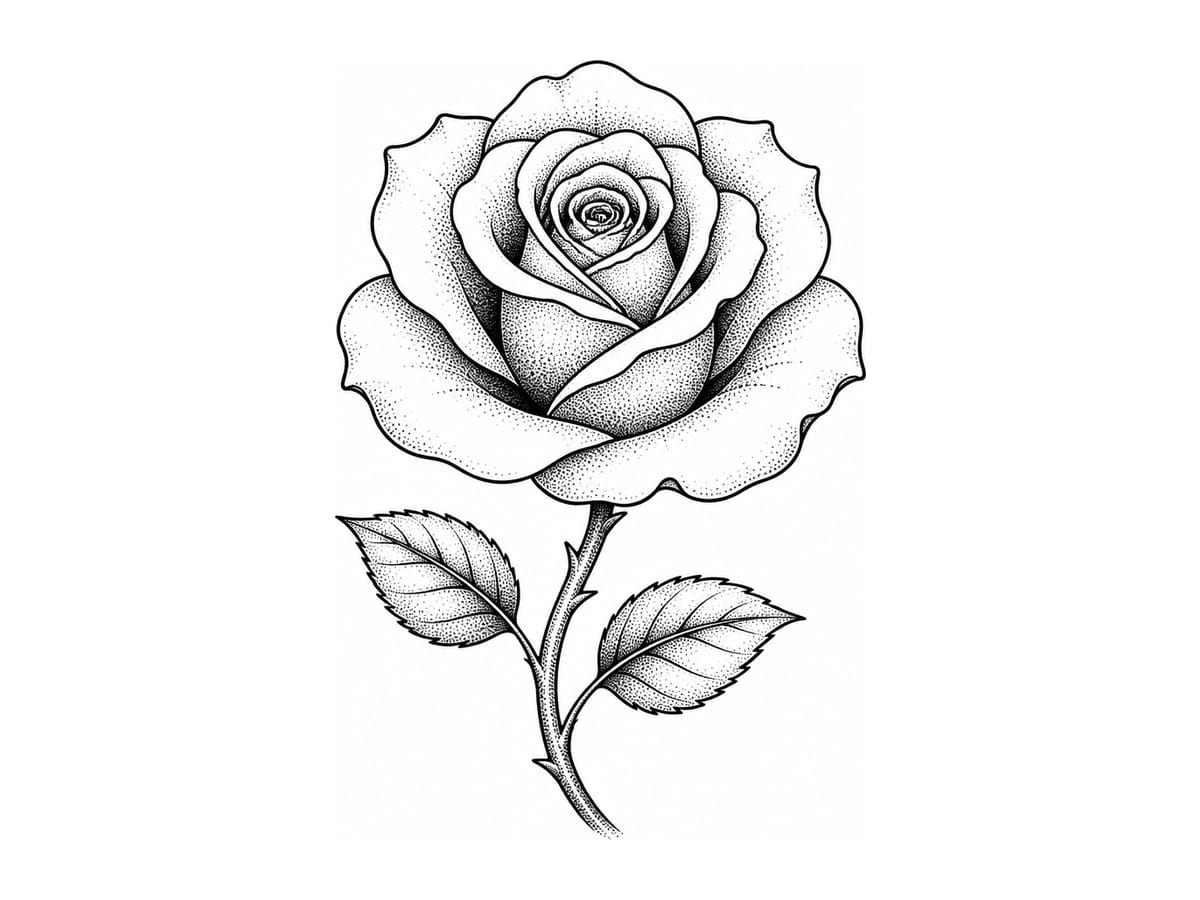 1. DesignAI-generated rose. TattooAI.design: yes, it has a generator.
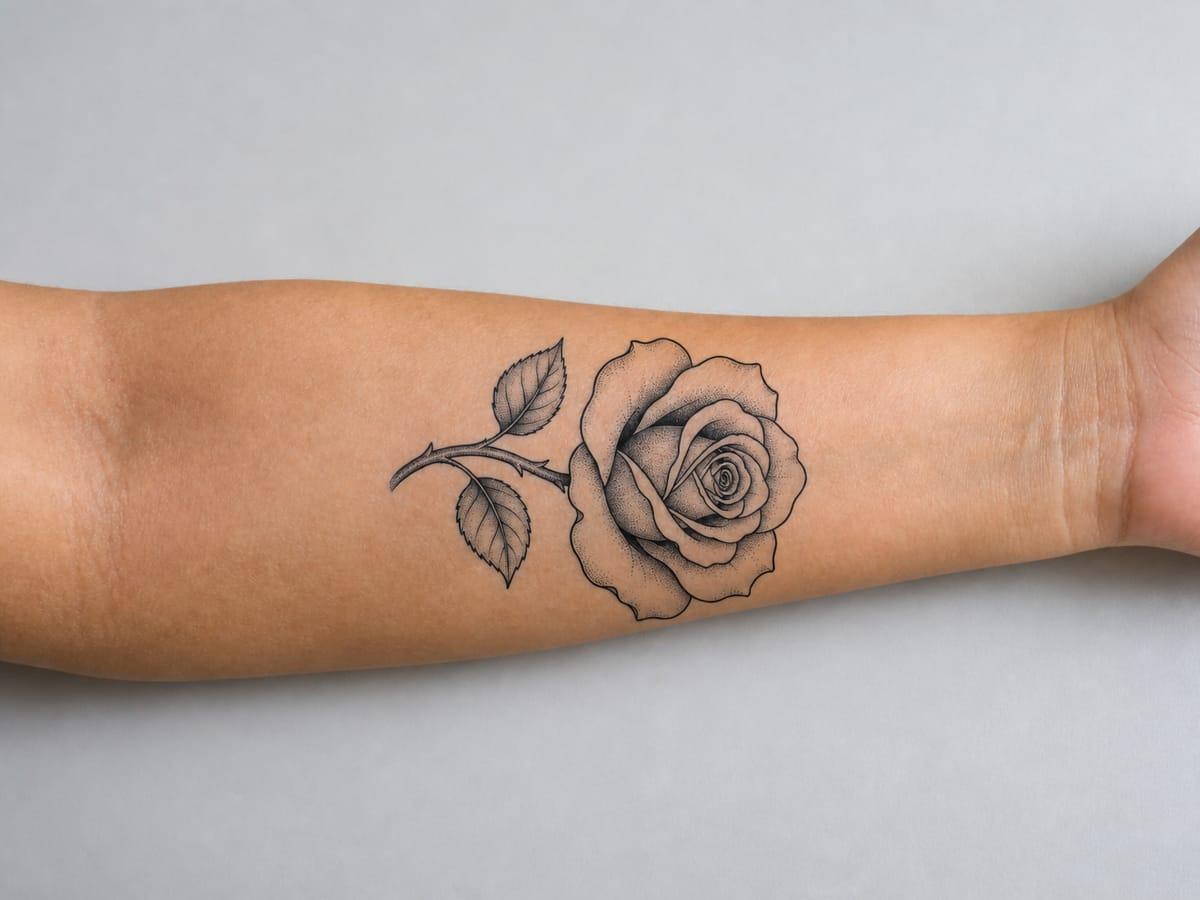 2. Try-onAI-generated preview on skin. TattooAI.design: yes, it has a try-on.
 3. StencilClean lines, mirrored, thermal purple. TattooAI.design: no stencil tool found.
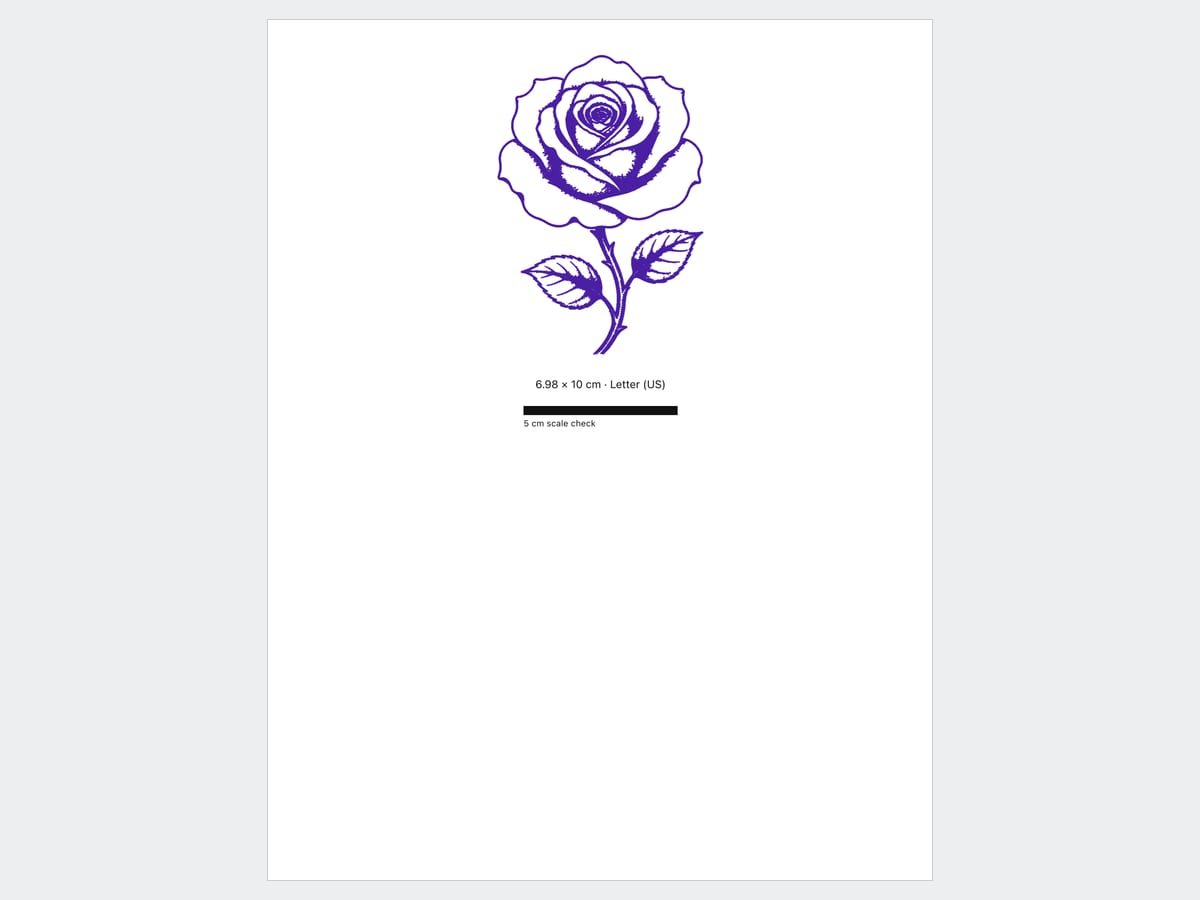 4. Print10 cm tall on US Letter, with a 5 cm check bar. TattooAI.design: no print-to-size found.
When a design is too large for one sheet, the Stencil studio splits it across several pages with a 1 cm overlap, cut marks and labels for assembly. The free stencil maker gives you the clean linework as a PNG; mirroring, thermal purple and printing to size happen in the studio after you sign in. To pick the size first, use the size calculator.
Can an AI tattoo generator spell a name correctly?
Image models draw letters as shapes, so a name can come back with a letter missing or doubled. We checked TattooAI.design's tool pages for any lettering or name feature and found none, so we cannot tell you how it handles names. Our approach is to never leave the spelling to the model: you type the exact text, the app renders it in real letters first, and the style is applied on top of those letters. On the public Name Tattoo Generator you see a live preview in 31 font styles, with straight, soft-curve or arch shapes.
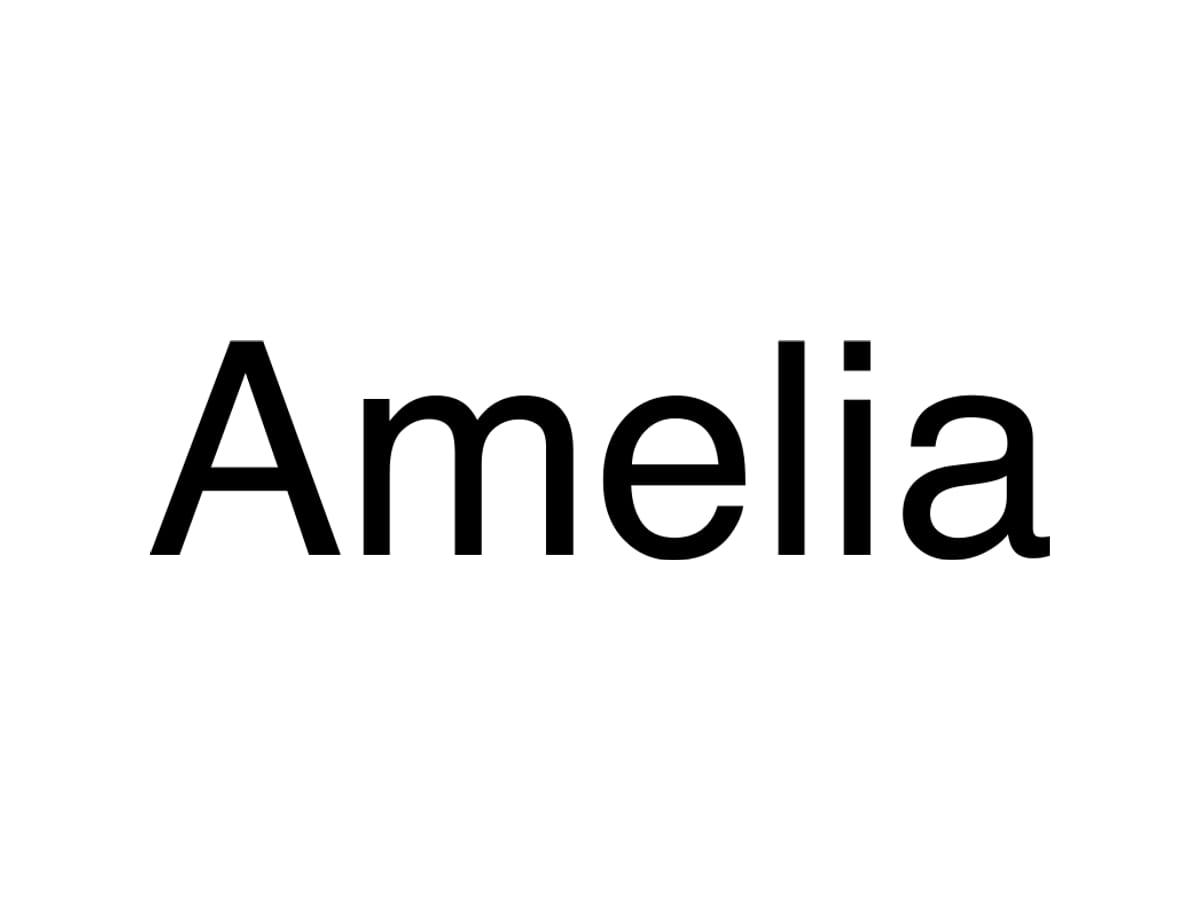 GuideThe exact text, rendered by the app.
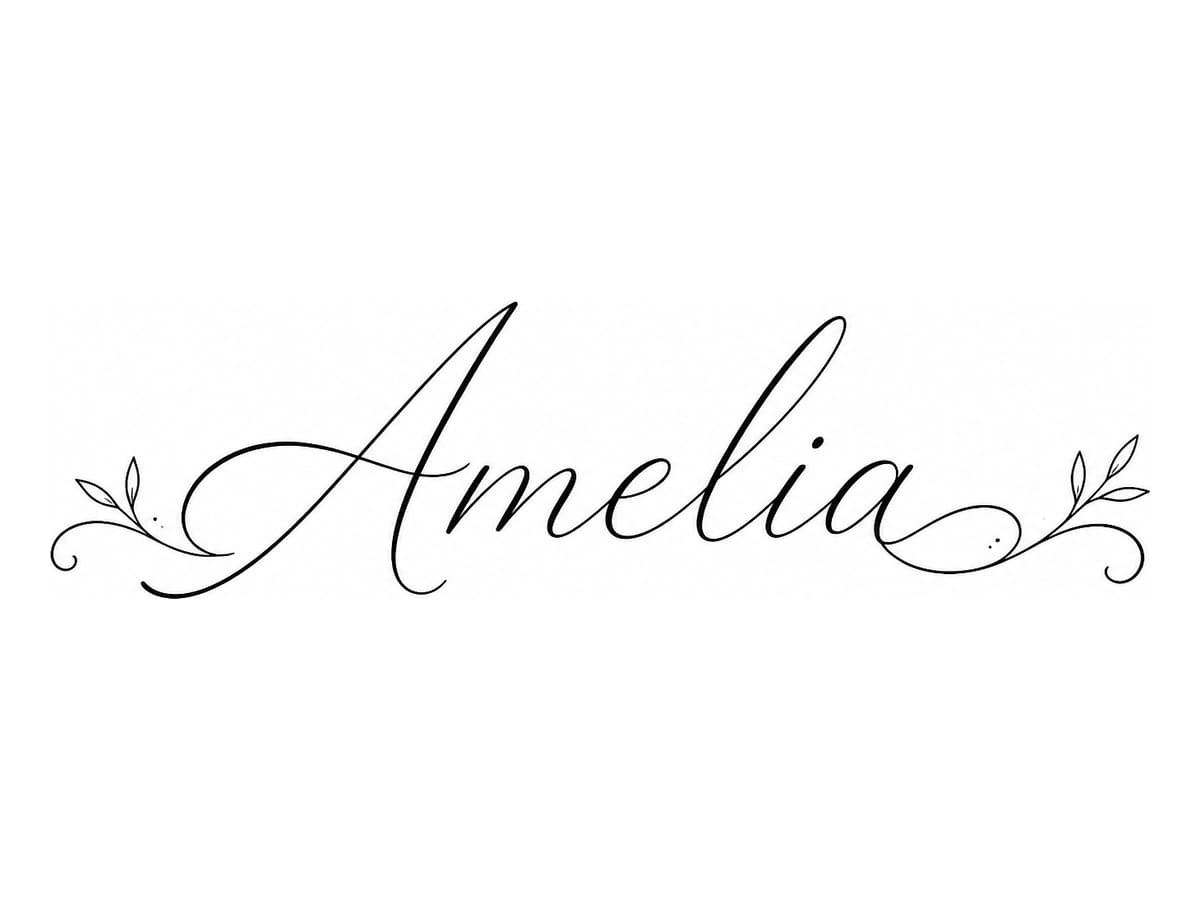 Fine scriptAI-generated, spelled A-m-e-l-i-a.
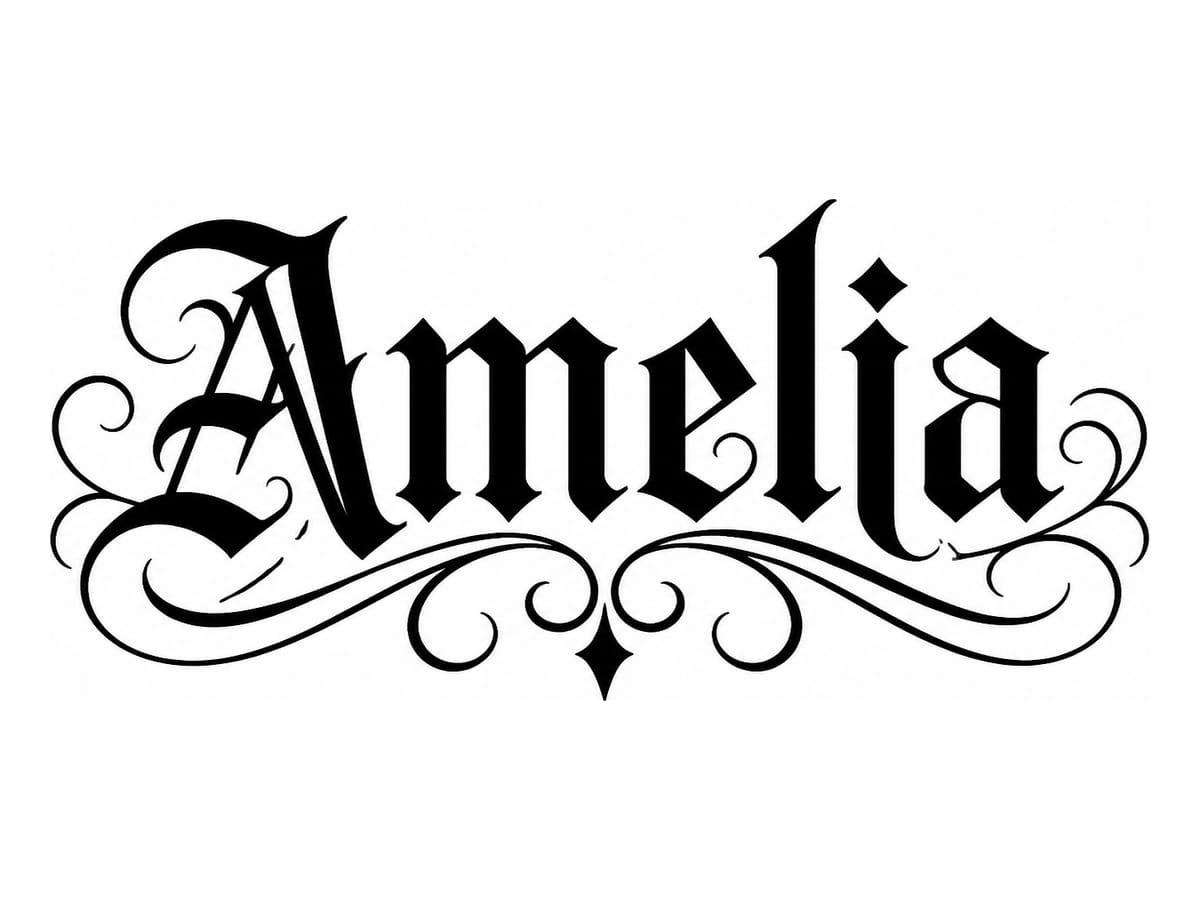 Old EnglishAI-generated, spelled A-m-e-l-i-a.
Whatever tool you use, read the name letter by letter before the stencil is made, and check the size: very small script closes up as a tattoo ages. The tattoo size guide covers how small lettering can go.
Which tattoo try-on should you use?
Both tools put a design on a photo of your body. On TattooAI.design, you upload the tattoo image and a photo of the body part, then pick a prompt template: Forearm, Upper Arm, Back, Lower Leg, Thigh, Neck or Abdomen (or write your own). On the CustomTattoo AI visualizer, you upload the design and place it yourself on your skin photo before the preview is rendered, so you decide where it sits and how big it is.
A try-on is only useful if the size is realistic. A median forearm is about 9.5 inches long and 5.2 inches across one side for women, 10.5 by 6.1 inches for men (US Army ANSUR II data, in our size guide). Measure your own arm, then preview the design at that size. The forearm placement guide covers how that area moves and ages.
Are your designs private, and can you use them commercially?
On TattooAI.design, private generations are a paid feature: the free tier excludes them, and the “Public” switch on the generator and try-on is on by default. Paid users get commercial rights: “Paid users have the right to use generated designs for commercial purposes,” says the generator FAQ, and the pricing FAQ says the free plan does not include them. Its privacy policy does not say whether uploaded photos are used to train models.
On CustomTattoo AI, designs and try-on photos sit in your private library; photos are not used to train any model and you can delete them at any time (privacy policy). Our terms say you own your designs and may use them for your personal tattoo purposes, with no exclusivity. They do not grant commercial rights, so if you want to sell designs or use them in client work, TattooAI.design's paid plans state that right and ours do not.
When is TattooAI.design the better choice?
- You want an AI tattoo video: we do not offer one.
- You want the interface in another language than English.
- You want to pick the image model yourself.
- You want daily free credits and accept public, watermarked free images.
- You want more generations per dollar on the displayed prices.
- You need commercial rights on what you generate.
CustomTattoo AI fits better when the tattoo is going on your skin soon: a name that must be spelled exactly, a stencil that has to print at the right size, credits that never expire, and the 14-day withdrawal right described on our refunds page. If you are still choosing a style, the tattoo styles guide helps before you generate anything, and the tattoo cost guide covers what the appointment itself costs.
Other TattooAI.design alternatives
Best AI Tattoo Generators
How the main AI tattoo tools compare by job: ideas, lettering, try-on, stencils.
BlackInk AI Alternative
Another AI tattoo generator, compared with the same questions.
AI Tattoo Generator vs Visualizer
When you need a new design and when you only need to see one on skin.
Tattoo Stencil Maker
Turn a design or photo into clean transfer linework, one free stencil before sign-up.
Name Tattoo Generator
Preview a name in 31 tattoo font styles with the exact spelling.
Sources
- TattooAI.design: home page (tools, models, languages) · checked November 6, 2026
- TattooAI.design: pricing and pricing FAQ · checked November 6, 2026
- TattooAI.design: AI Tattoo Generator (credits displayed, Public switch, FAQ) · checked November 6, 2026
- TattooAI.design: AI Tattoo Try On · checked November 6, 2026
- TattooAI.design: AI Tattoo Design Generator · checked November 6, 2026
- TattooAI.design: AI Tattoo Video Generator · checked November 6, 2026
- TattooAI.design: refund policy · checked November 6, 2026
- TattooAI.design: privacy policy · checked November 6, 2026
- TattooAI.design: sitemap · checked November 6, 2026
- TattooAI.design blog: How to Use Seadream 5.0 to Create a Tattoo Stencil · checked November 6, 2026
- Product Hunt: Tattoo AI Design reviews · checked November 6, 2026
- TattoosAI (a different product, for the name question) · checked November 6, 2026
- CustomTattoo AI: pricing · checked November 6, 2026
- CustomTattoo AI: terms of service · checked November 6, 2026
- CustomTattoo AI: refunds · checked November 6, 2026
- CustomTattoo AI: privacy policy · checked November 6, 2026
- CustomTattoo AI: Tattoo Stencil Maker · checked November 6, 2026
- CustomTattoo AI: Name Tattoo Generator · checked November 6, 2026
- ANSUR II body measurement data (forearm medians) · checked November 6, 2026
FAQ
Is TattooAI.design the same as TattoosAI?+
No. TattooAI.design (branded Tattoo AI Design) and TattoosAI (tattoosai.com) are different products on different domains, and some tool directories mix them up. Everything on this page refers to tattooai.design only.
Are free TattooAI.design designs watermarked or public?+
On its pricing page checked November 6, 2026, the free tier excludes non-watermarked images and private generations, and the Public switch on its generator and try-on is on by default. Paid plans unlock private and non-watermarked output.
Can I use the designs commercially?+
TattooAI.design says paid users may use generated designs for commercial purposes and free users may not. CustomTattoo AI's terms let you own and use your designs for your personal tattoo purposes and do not grant commercial rights.
Which tool is better for a real tattoo appointment?+
If you need exact lettering or a stencil, CustomTattoo AI: the Name Tattoo Generator keeps the spelling exact, and the Stencil studio mirrors the stencil, switches it to thermal purple and prints it at a set size in centimeters with a 5 cm calibration bar. If you mainly want ideas, a video or a non-English interface, TattooAI.design covers that.
Tattoo planning tool
Generate, preview and prepare your tattoo in one studio
Describe your idea, generate it in any style, and preview it on your own skin before the needle.
Generate for freeFree to start
More AI tattoo comparisons
- Best AI Tattoo GeneratorsThe best AI tattoo generator depends on the job: inspiration, exact lettering, on-skin preview, stencil prep or broad image editing.
- AI Tattoo Generator vs Tattoo VisualizerAn AI tattoo generator creates a new design from a prompt.
- BlackInk AI AlternativeBlackInk AI is strong for browsing many AI tattoo ideas and styles.